Git Commit Message Generator
feat(learning): teach juniors to write, check and fix commit messages
After this lesson, a junior developer can generate a commit message with Git Commit Message Generator, check it against the Conventional Commits format, and correct it when the tool gets it wrong.
Merrill's First Principles, applied at micro scale.
Following Merrill's First Principles, the lesson opens with a failure the learner has caused themselves rather than with a definition, so the standard arrives as a solution to a problem they have just felt. Practice occupies 2 minutes 20 seconds of the 4 minutes, and the longest screen is the hardest one, not the demo. Support is withdrawn progressively, with a fresh example on every screen so no answer appears before it is asked for: recognise a good message, then choose between generated options, then correct a flawed one unaided. Narration explains while the screen carries only keywords and code, avoiding the redundancy of reading on-screen text aloud. Product promotion is deliberately limited to two touches — the demo and the closing install prompt — because a lesson that sells throughout loses the credibility that makes the recommendation worth anything.
Find what broke it
Before
Which commit broke the payment button?
Reveal
Now find it.
- Narration
- "Tuesday's release broke the payment button. Six commits went out. Pick the one that caused it."
- Learner action
- Clicks any commit.
- Feedback
- "You couldn't have known. Neither could the developer who wrote these — and that developer was probably you, three weeks ago."
- Narration
- "Same six commits. Now find it."
- Learner action
- Clicks
2d47a19. - Correct
- "Two seconds. The difference isn't the code. It's the message."
- Incorrect
- "Close — look for the one that touches the payment button itself."
How a good message is built
feat, fix, docs, refactor, test, chore, style.- Say what changed and why it matters, not which line you edited
- One commit, one purpose
- Write it as a command: "add", not "added"
- On screen
- This format is called Conventional Commits.
- Why line
- Why this matters: find the change that broke something · build release notes without digging through code · help a new teammate read the project's history
- Narration
- "Type, scope, description. The type tells you what kind of change. The scope tells you where. The description tells you what's different afterwards — not which line you touched."
- Learner action
- Clicks each segment to reveal its explanation. All three required to continue.
The tool, and where it stops
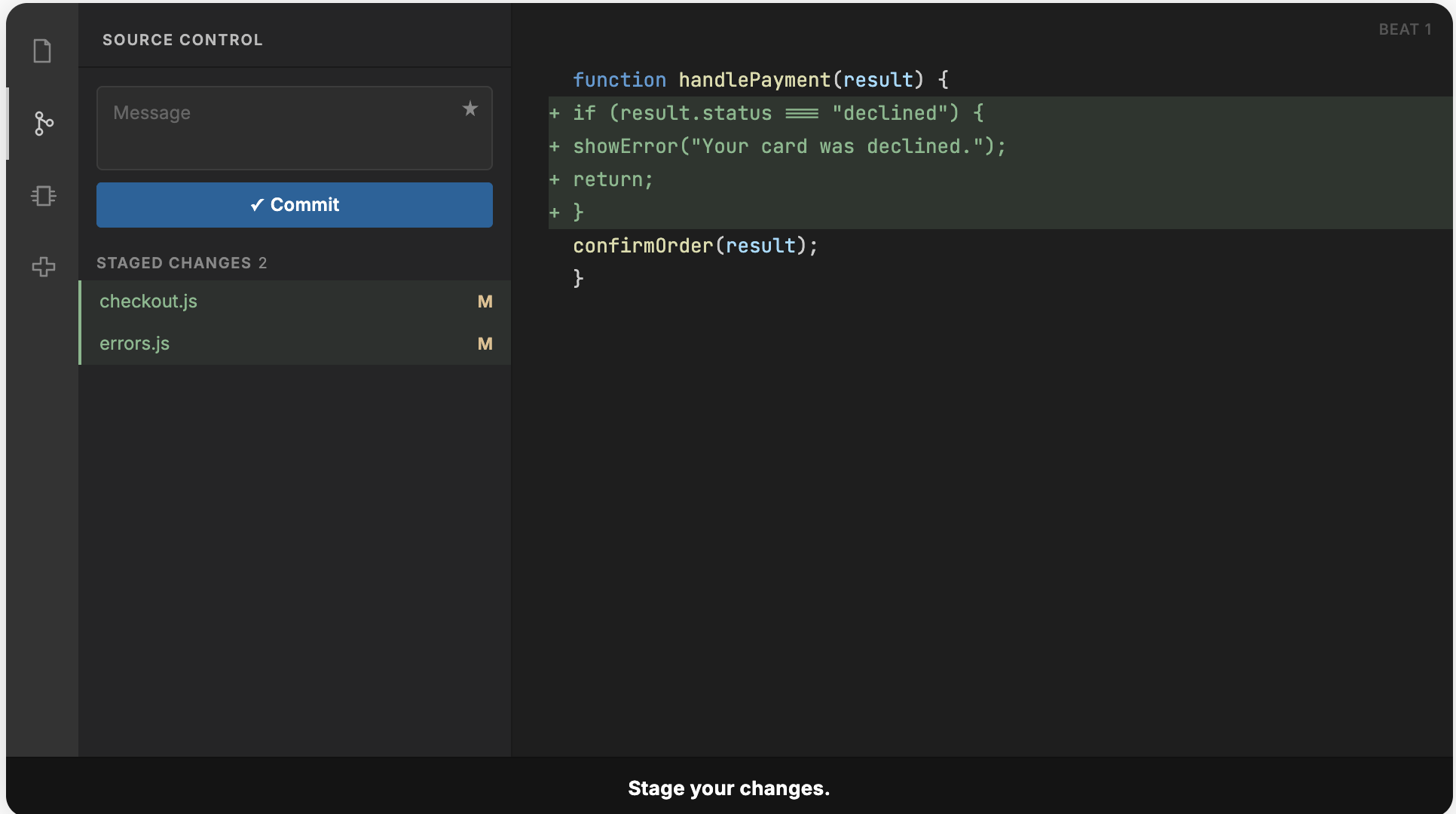
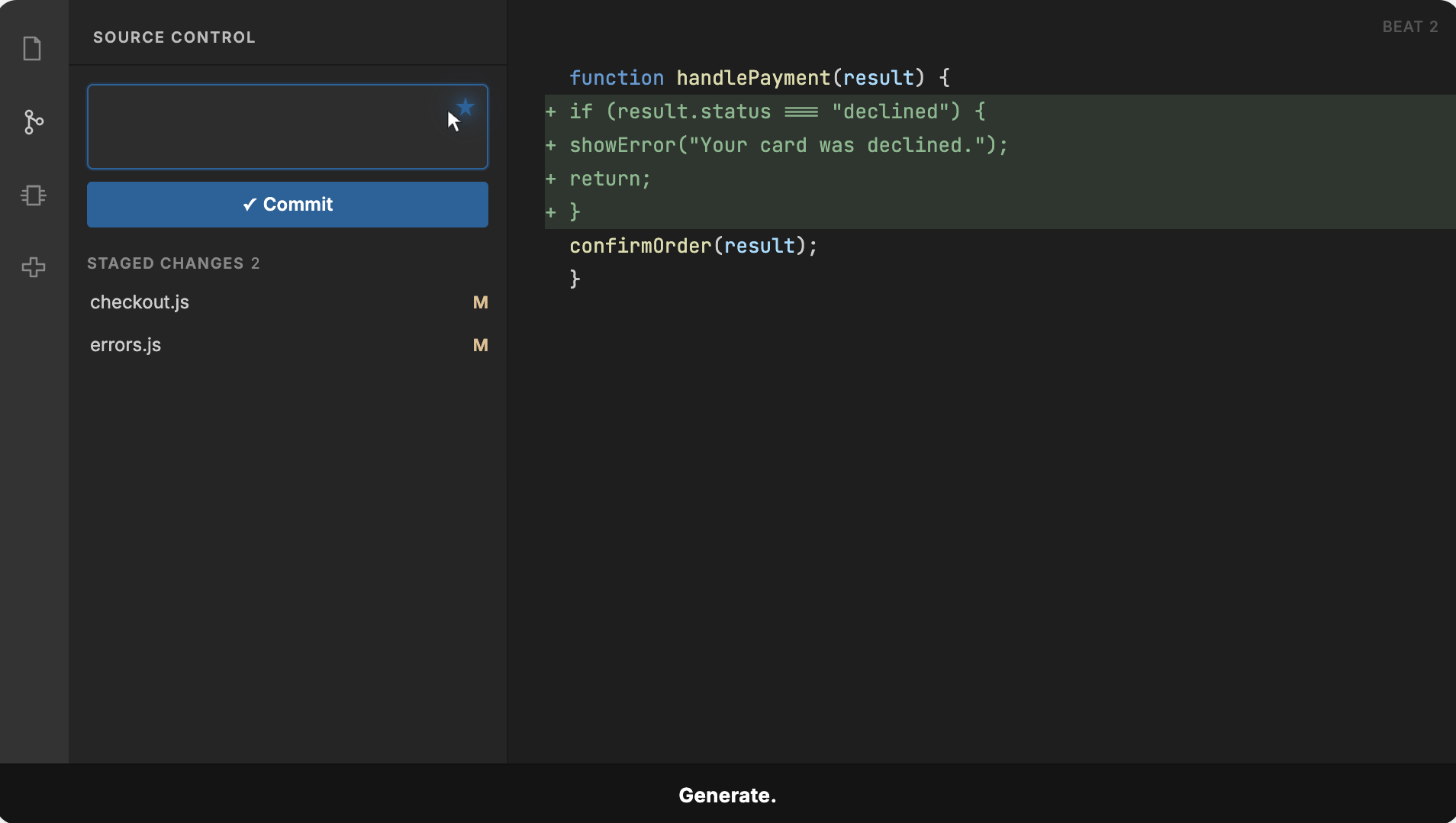
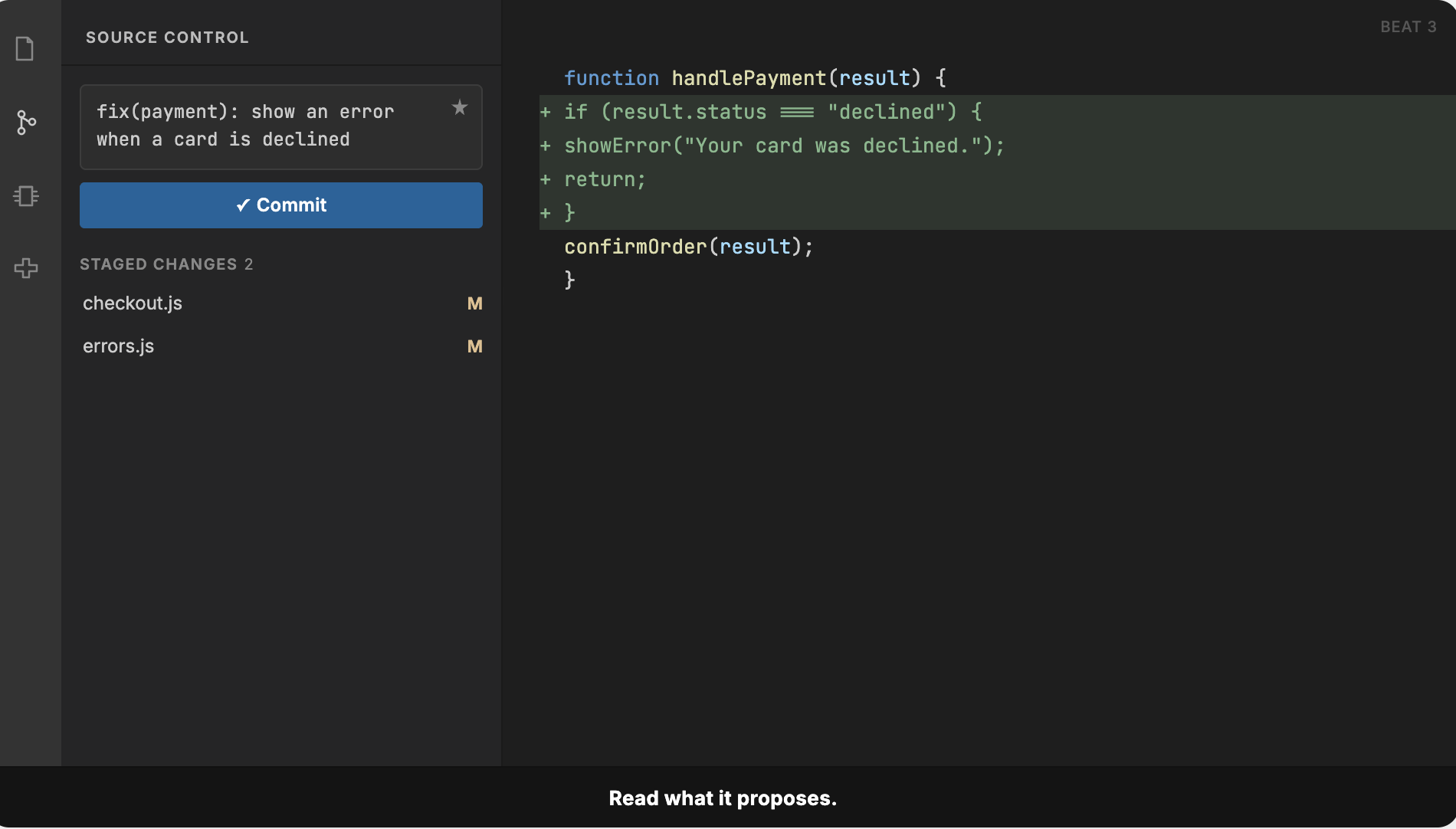
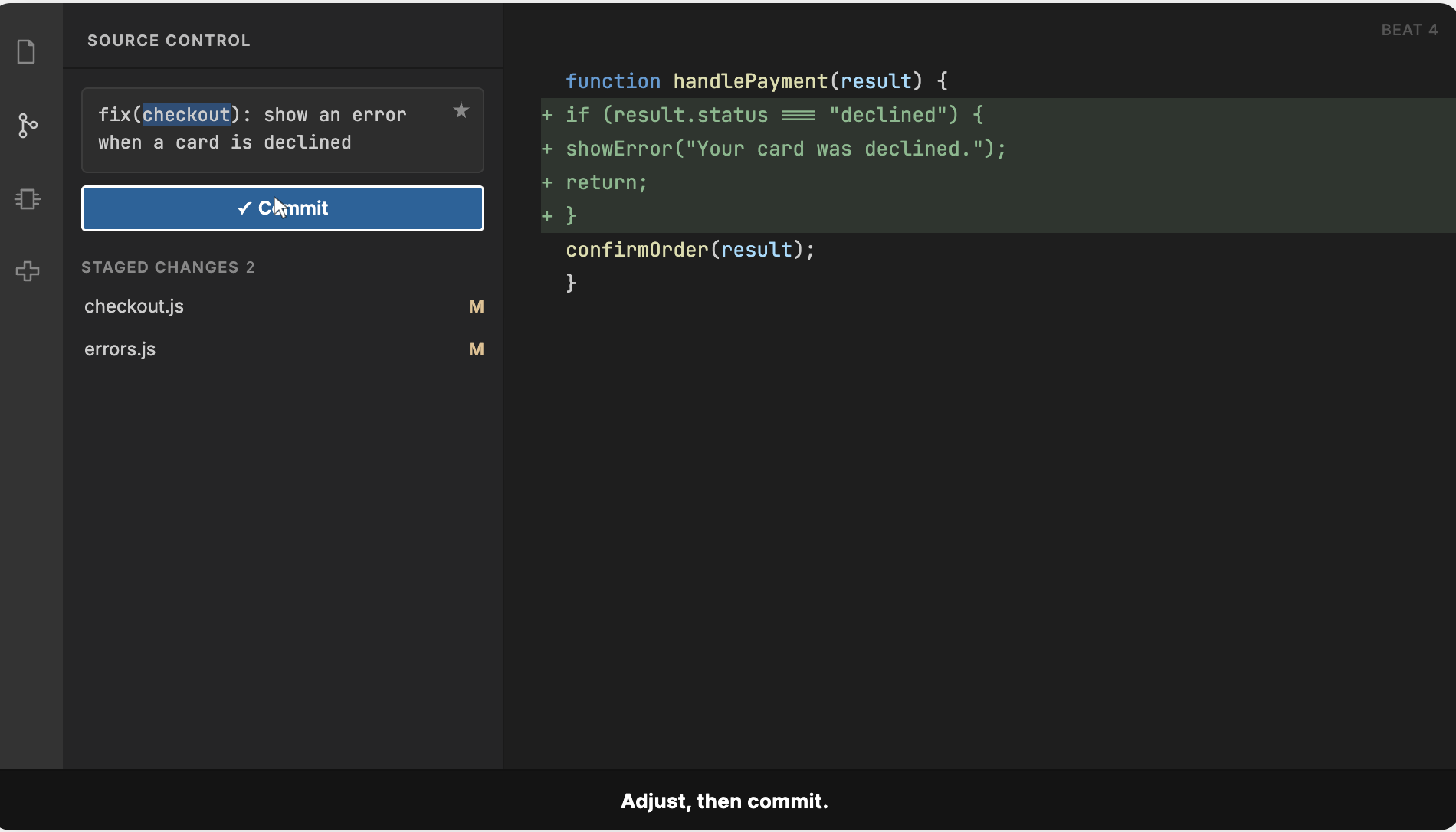
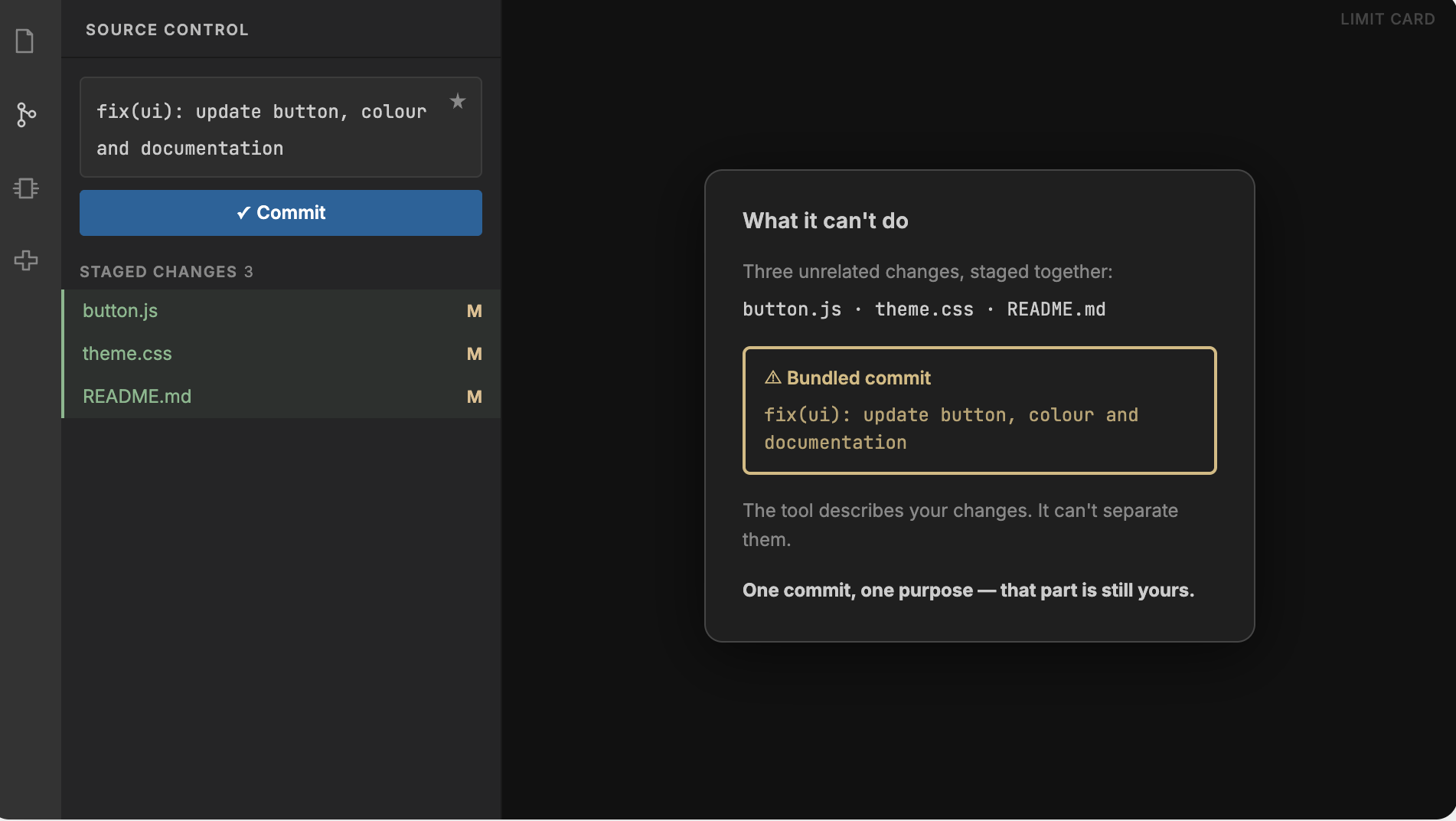
- Visual
- Simplified VS Code mockup, dark theme. Message field with a Generate icon inside; blue Commit button below. Staged changes:
checkout.js,errors.js. The message types out character by character in Beat 3, so it reads as generated. - Narration
- "Stage, generate, read, adjust. Note the third step — the developer reads the suggestion before accepting it. Here the tool picked the wrong scope: the error appears on the checkout page. The tool proposes; you decide."
- Limit card
- Slides in over the code area. Three unrelated files, one generated message marked Bundled commit. The tool describes your changes. It can't separate them. One commit, one purpose — that part is still yours.
- Narration
- "One thing it won't do for you. If you've bundled three unrelated changes into one commit, it will faithfully describe all three. Splitting the work is still your job."
Choose the best message
The tool offered three messages for this change. Which one would you commit?
fix(cart): update maxItemsFeedback"Two problems. This isn't a fix — nothing was broken, a limit was raised, so it's a feat. And 'update maxItems' names the variable, not what changed."
feat(cart): allow up to 20 items per orderCorrect"Right type, clear scope, and the description says what customers can now do."
feat: change the maxItems constant in cart.js from 10 to 20 as agreed with productFeedback"Right type, but it describes the line you edited rather than what changed, it's missing the scope, and it carries context that belongs in the pull request, not the commit title."
- Narration
- "All three describe the same edit. Only one still makes sense next year."
Fix the message
The tool got one part wrong. Click it.
- Clicks scope
- "The scope is right — this change lives in authentication. Look again."
- Clicks description
- "The description is good — it says what users can now do. Look again."
- Clicks type
- "Found it. Nothing was broken — this adds a capability that didn't exist. Now correct it."
- Second step
- Learner picks the corrected type:
feat·refactor·chore
featCorrect"New capability, so feat. Final message: feat(auth): let users stay signed in for 30 days."
refactorFeedback"A refactor changes how code is organised without changing behaviour. Behaviour changed here — users can now stay signed in."
choreFeedback"chore covers maintenance that users never notice. This one they'll notice."
- Narration
- "Nothing was broken — a capability was added. Check the type before you accept."
Try it on your own code
type(scope): what changed
featnew capability
fixsomething broken
refactorsame behaviour, different code
docsdocumentation
testtests
styleformatting only
choremaintenance
- Say what changed and why it matters, not which line you edited
- One commit, one purpose
- Write it as a command: "add", not "added"
Before you commit: check the type the tool chose.
- Narration
- "Install it, and use it on your next commit. Read what it proposes before you accept — that habit is the whole point."
Colour is never the only carrier of meaning: the segments in screens 2 and 5 are distinguished by label as well as colour, and the warning on the limit card pairs its icon with text. All interactive elements are reachable and operable by keyboard, with a focus order that follows reading order. Narration is captioned, and the lesson is fully usable with sound off, since every narrated point also appears on screen as a keyword or code sample. Code samples are real text rather than images, so they are available to screen readers and can be enlarged without loss.
Estimated build: 6–8 hours in Rise or Storyline, with an animated mockup for screen 3. The VS Code sequence is the only asset needing custom animation; everything else is built from text, code blocks and states. Screen 3 frames made in Figma; mockup palette follows VS Code Dark+.
Storyboard by Mariia Mukhina · Product and scenario per the assignment brief · Drafted with AI assistance; learning design decisions, review and Figma frames by the author.